To withdraw money from KrillPay to your US bank account, complete the following steps:
- Click on Cash out
- Select a withdrawal method (Standard ACH or Real-Time Payment)
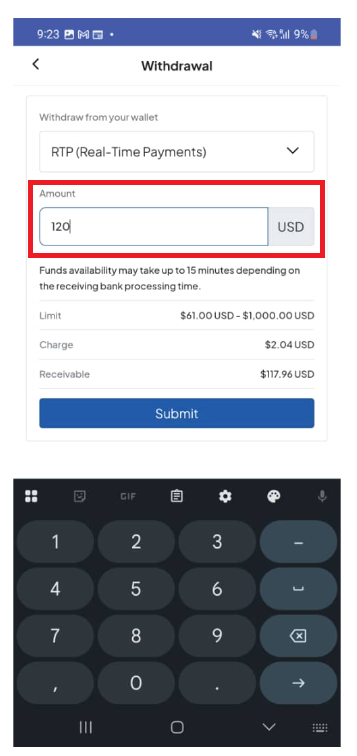
- Enter an amount to withdraw
- Click Summit
- Enter your Transaction PIN, Face ID, or Fingerprint
- Select the bank to withdraw to
Note: ACH withdrawal might take about 3 business days for the funds to be available in your bank account. RTP will charge you 1.5% of the withdrawal amount. The funds will be available in your bank account immediately.
Click Cash Out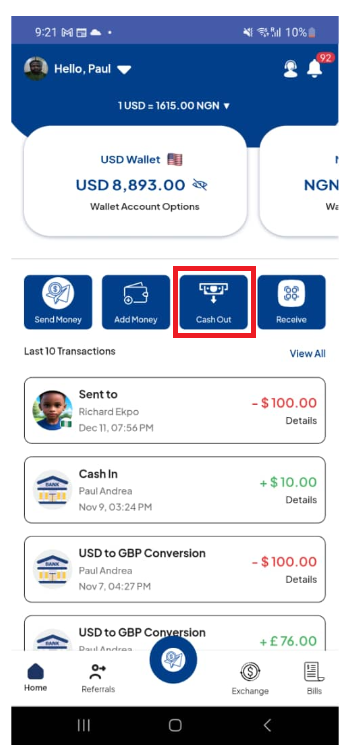
Select a withdrawal method
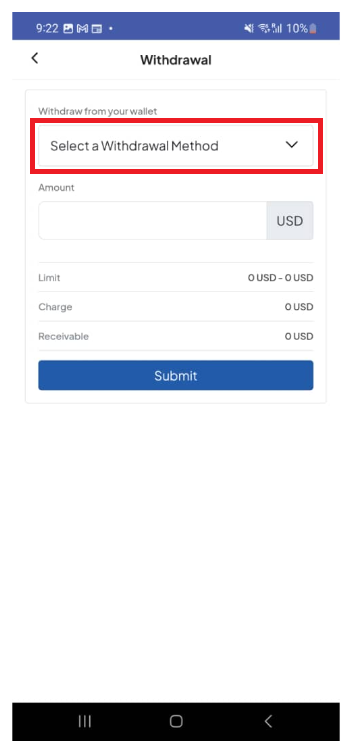
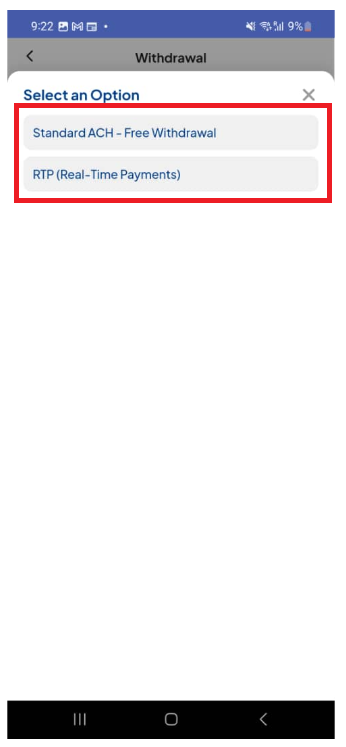
Enter the amount to send
Enter your PIN, Face ID, or Fingerprint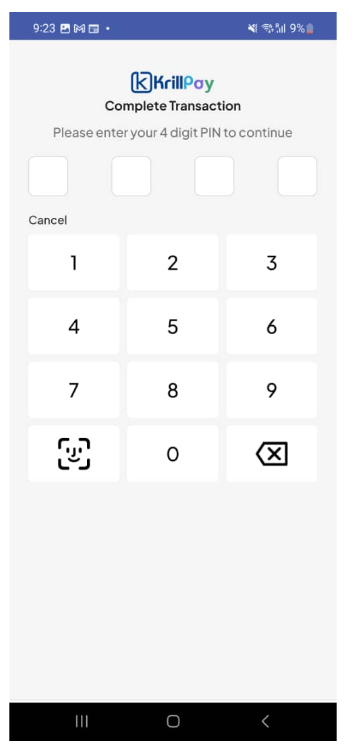
Select the bank to withdraw to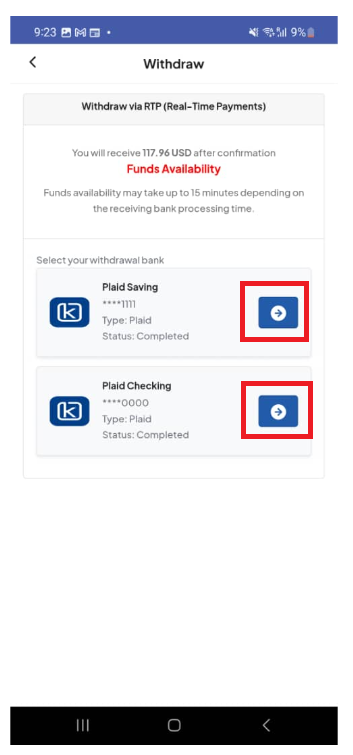
Was this article helpful?
That’s Great!
Thank you for your feedback
Sorry! We couldn't be helpful
Thank you for your feedback
Feedback sent
We appreciate your effort and will try to fix the article